Retail Store Safety
Retail teams can't watch every camera across every store. QORA adds an AI layer to your existing CCTV to surface safety and loss-prevention events — after-hours entry, loitering, crowding and slip-and-fall risk — with a human in the loop.
Detections tuned for retail sites
Illustrative — QORA output shown on representative scenes, not customer footage.
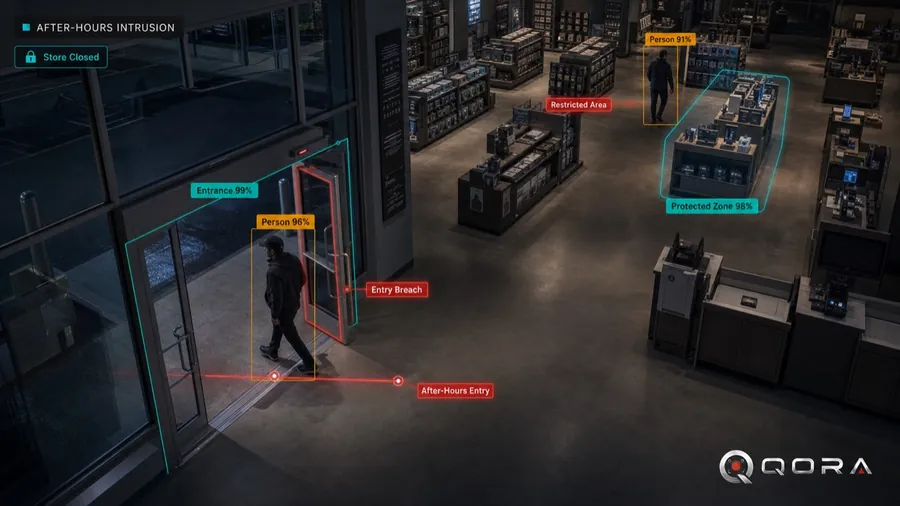
After-hours intrusion
Detect people entering the store or stockroom outside business hours and alert immediately.
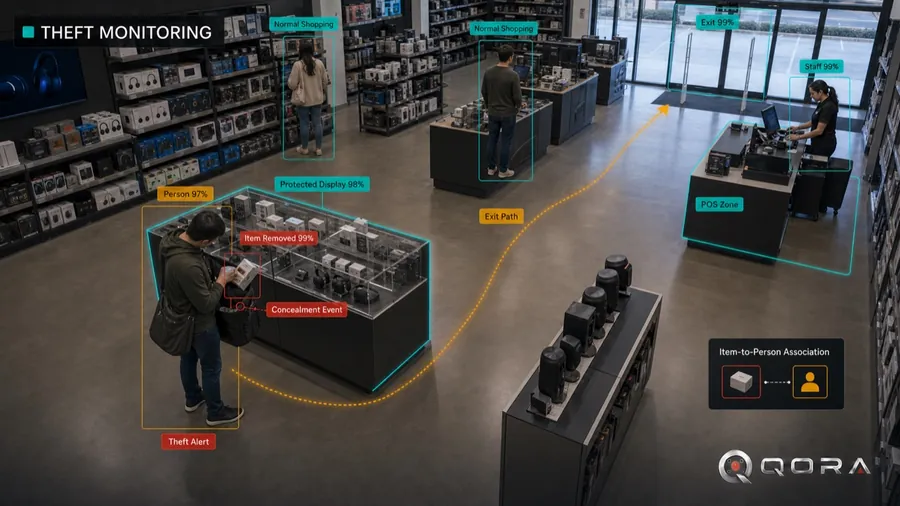
Theft & loss prevention
Surface suspicious activity around high-value merchandise and exits so your loss-prevention team can respond.
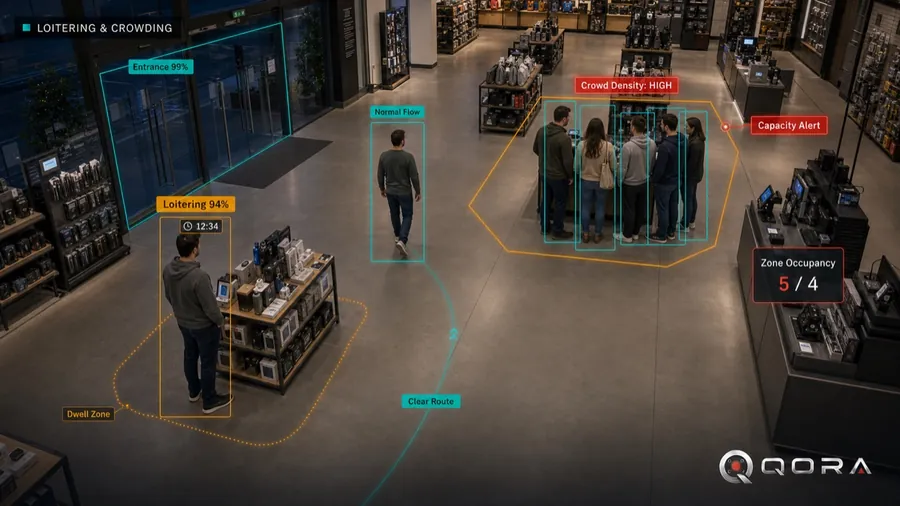
Loitering & crowding
Surface prolonged loitering at entrances and unusual crowding for a fast staff response.
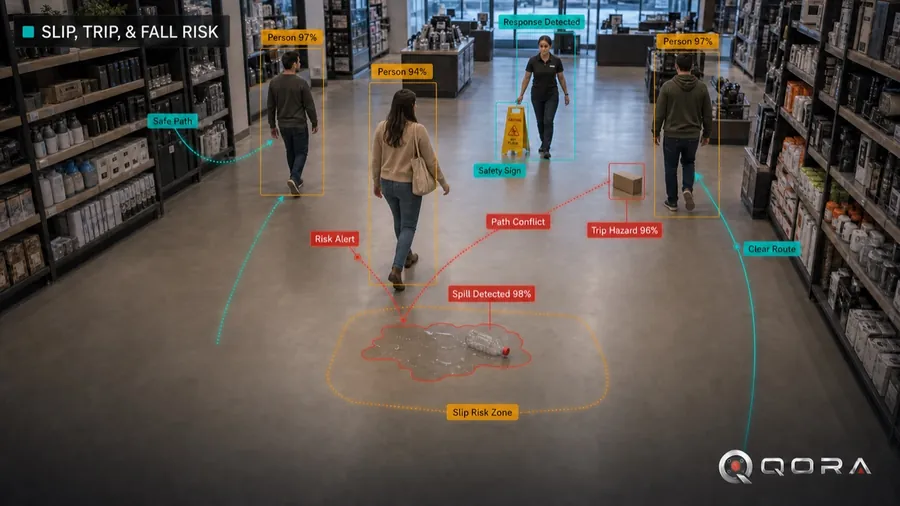
Slip, trip & fall risk
Flag spills, falls and obstructions so staff can respond and you can document the incident.
Why teams choose QORA
- Works with the cameras and NVR you already run in-store — no forklift upgrade.
- Multi-site view: manage every location from one console with role-based access.
- AI reduces alarm fatigue by surfacing only events worth a look — with snapshot evidence attached.
- Privacy-first: biometrics are off by default and gated behind consent, with a full audit trail.
How an incident is handled
1 · Detect
QORA analyzes your existing camera feeds for the scenarios you turn on.
2 · AI Review
Obvious false alarms are auto-resolved and related detections are grouped, so your team sees real incidents — not raw motion.
3 · Human confirms
A person reviews the flagged incident. QORA never takes automated action against a person.
4 · Alert & log
Confirmed incidents notify your recipients and stay in a searchable, audited log.
Privacy & operational considerations
You own your data
Configurable retention and deletion. Sensitive analytics stay off unless you explicitly enable them.
Human in the loop
QORA surfaces events for a person to confirm — no automated adverse action, no inferred protected-class decisions.
Indicators, not proof
Loss-prevention detections — loitering, after-hours entry, slip and trip risk — are investigative indicators for a person to review. Video alone does not establish intent or prove theft.
QORA highlights events for your team to investigate; it does not accuse individuals or determine that a crime occurred. You are responsible for lawful camera placement and any required notice or signage. See our Privacy Policy.
Ready to see everything?
Talk to us about a pilot on your cameras — book a 20-minute demo.
Explore: Platform · Security & Trust · 30-Day Pilot